
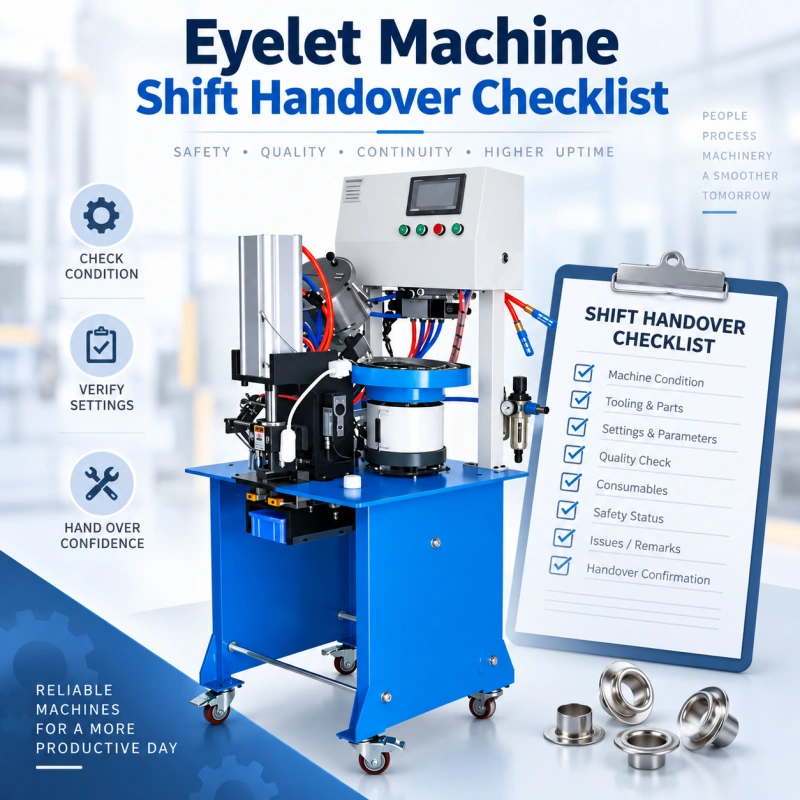
A shift change can stop an eyelet line even when the machine is mechanically ready. The incoming operator may find an unlabeled container beside the feeder, a counter that does not match the production record, or a defect sample with no explanation.
Ten minutes can easily disappear while the team tries to clarify the situation. If the wrong assumption is made, the line may restart with mixed components, a repeated jam, or unapproved settings.
A useful handover gives the next shift the current condition of the job and the evidence behind it. You transfer the current operating status: what is running, what has changed, what remains open, and who is authorized to release production. You do not use this checklist to teach basic controls or repeat new-operator training. The person receiving the machine should already be authorized for the work.
Quick Answer
Your eyelet machine shift handover should cover nine control points: job identity, approved materials and components, tooling, machine settings, feeder condition, recent quality results, faults and adjustments, production counts, and restart status.
The outgoing and incoming operators should review the record at the machine, compare it with the physical condition, and sign only after any open issue has a named owner and a clear operating restriction.
What This Checklist Controls?
Eyeletting equipment ranges from manually operated single-head machines to electric double-head and automatic-feed systems. Industrial models may also use different feeding configurations and serve different batch sizes, materials, and production requirements.
Because machine configurations vary, a shift handover form should combine a common set of control points with machine-specific fields. The common section can cover job identity, materials, tooling, settings, quality status, production counts, faults, and release status, while additional fields can be added for feeders, sensors, utilities, stations, or other features specific to the machine.
The checklist controls continuity. It does not replace the machine manual, your risk assessment, lockout procedure, approved setup sheet, inspection standard, or maintenance schedule. If any of those documents conflict with a generic item in this guide, follow the approved plant document.

Keep Handover Separate from Operator Training
A new-operator lesson explains how to identify controls, load components, position material, run a cycle, inspect an eyelet, and respond to basic alarms. A shift handover assumes that competence already exists. It tells an authorized operator the current condition of the job being transferred.
Do not fill the handover with training statements such as these:
- how to switch on the machine or use the foot control
- how to thread or load a feeder for the first time
- how to fit dies without an approved changeover procedure
- general explanations of every guard, button, or alarm
- basic definitions of a good eyelet flare
Instead, record the current fact: Guard interlock tested at 14:05 and passed. Upper die QC-D14 remains installed. Eyelet lot E260911-B is in use. Alarm F12 occurred twice after 13:20 and maintenance work order 1847 is open. Those statements let the next shift verify the machine without guessing.
Set One Handover Rule Before You Build the Form
The incoming shift should never inherit an unexplained condition. If the outgoing operator cannot state whether the line status is Released, Conditional, or Stopped, the default status should be Stopped pending review. A signature cannot convert missing evidence into approval.
Use three status choices across the form:
| Status | Meaning | Incoming Shift Action |
| Released | Required checks passed and no restriction is open. | Verify the record and physical condition, then continue under the approved setup. |
| Conditional | Production may continue only within a written limit. | Confirm the restriction, owner, review time, and affected product before running. |
| Stopped | Safety, quality, tooling, feed, or authorization is unresolved. | Do not cycle the machine until the named authority releases it. |
Plan a Short Overlap at the Machine
Written records prevent omissions, but a brief face-to-face review catches contradictions. Schedule enough overlap for the outgoing operator to show the current job, last accepted piece, material and component lots, open fault, and line status.

The exact time depends on your process. A manual single-head station may need only a few minutes. An automatic eyelet and washer line with multiple feeders, sensors, and WIP locations may need longer.
Conduct the review where both people can see the machine and the record. Do not perform the discussion inside a guarded hazard area or while someone is reaching into a feed path. If inspection requires access beyond normal operation, use the approved safe-state or lockout procedure.
Outgoing Shift Checklist
Complete the record near the end of the shift while the facts are still visible. Do not copy yesterday’s entries or write OK across a full page. Enter the value, identifier, result, or exception that the next shift can verify.
Record the Production Order and Physical Materials
☐ Record the machine or line ID, date, outgoing shift, and handover time.
☐ Record the production order, product code, customer or internal job reference, and current operation.
☐ Identify the material type, thickness or approved grade, color or finish where it affects setup, and material lot.
☐ Identify the eyelet and washer part numbers, sizes, finish or color, and lot numbers. Mark whether a washer is required.
☐ Label every open container and return unapproved or previous-job components to the controlled location.
☐ State the next scheduled job only if it has been released. Do not treat staged material as authorization to change over.
Reconcile Counts and Work in Progress
☐ Record the machine counter at shift start and shift end. Note any authorized reset or counter replacement.
☐ Record accepted quantity, rejected quantity, setup pieces, rework, and held quantity using your plant’s definitions.
☐ Compare the physical WIP with the traveler, batch card, or production system. Explain any difference before handover.
☐ Separate accepted, rejected, rework, and pending-inspection pieces. Use status labels that remain with the containers.
☐ Record where the last completed unit and the last approved inspection sample are located.
A machine counter alone is not a production total. It may include setup strokes, rejected cycles, empty cycles, or double-head operations. Your form should show how the counter converts to reported output for that machine.
Document Tooling and Approved Settings
☐ Record the upper die, lower die, punch, cutter, anvil, guide, and other change-part IDs that are installed.
☐ Confirm that the installed tooling matches the current setup revision and approved sample.
☐ Record the active recipe number or controlled setting values required by your setup sheet. Do not rely on memory.
☐ Note any adjustment made during the shift, the time, reason, person who made it, and result of the follow-up check.
☐ Record visible wear, damage, looseness, buildup, or abnormal marks. State whether the tooling remains released.
☐ Identify tooling removed from service and its quarantine or repair location.
The handover record should point to the approved setup. It should not reproduce the full die-selection or pressure-setting method. That information belongs in controlled setup and maintenance documents.

State the Feeder and Machine Condition
☐ Record the eyelet and washer levels or the estimated remaining run time using your local method.
☐ State whether bowls, tracks, chutes, nests, escapements, and sensors are running normally.
☐ Record any jam, overlap, upside-down component, empty-feed cycle, false alarm, or handoff hesitation with its time and frequency.
☐ Identify temporary controls that have been formally approved, including a reduced speed, increased inspection frequency, or limited batch size.
☐ Record unusual noise, vibration, heat, leakage, smell, or cycle variation. Do not write normal if you observed a change.
☐ Record the displayed air pressure, force, temperature, speed, or other monitored value only where your approved setup requires it.
Transfer Recent Quality Evidence
☐ Identify the approved first piece or reference sample and confirm that it belongs to the current job and revision.
☐ Record the time and result of the most recent in-process inspection.
☐ List the checks required by the control plan, such as front appearance, back flare, assembly height, gap, rotation, rocking, position, pull test, or material damage.
☐ Record the last nonconformance, affected quantity, containment boundary, disposition status, and person responsible.
☐ State when the next inspection is due. If it will fall immediately after shift change, assign it during the handover.
☐ Keep suspect product physically separated until its status is resolved.
Do not redefine acceptance limits in the handover form. Link the operator to the current drawing, control plan, approved sample, or inspection instruction. This prevents one shift from passing a condition that another shift rejects.
Close or Assign Every Abnormal Condition
☐ List active alarms, recurring warnings, fault codes, and the last time each occurred.
☐ Record what was checked and what changed. Separate confirmed cause from operator observation.
☐ Enter the maintenance work order, quality hold, engineering deviation, or supervisor instruction number where one exists.
☐ Name the owner and next review time for every open item.
☐ State the exact restriction. Examples include: do not run, run only Job 4621, inspect every 100 pieces, or await the feeder technician.
☐ Remove informal notes that conflict with the controlled record. Transfer useful observations into the official log.
Incoming Shift Verification
You are not checking whether the outgoing operator completed every sentence neatly. You are deciding whether the machine’s physical state agrees with the record and whether you have enough evidence to accept control of the job.
☐ Read the job, material, eyelet, washer, tooling, recipe, quality, count, WIP, and fault entries before cycling the machine.
☐ Compare the job and component identifiers on the record with the labels at the machine.
☐ Confirm that accepted, rejected, rework, held, and uninspected product are separated and identified.
☐ Locate the current approved sample and the most recent inspection result.
☐ Inspect the normal operating area for loose parts, leftover components, leaks, buildup, blocked sensors, or visible damage.
☐ Confirm the recorded machine status and any restriction with the outgoing operator or supervisor.
☐ Perform only the prestart checks required by your approved procedure. Do not bypass a guard or defeat an interlock to speed up handover.
☐ If a verification cycle or sample is required, use the approved mode and acceptance criteria. Record the result.
☐ Sign the handover only after discrepancies are corrected or formally escalated.
When the Incoming Shift Should Refuse Release?
Keep the machine stopped and escalate when you find any of the following:
- a missing or defeated guard, interlock, emergency stop, or other required safeguard
- an unlabeled or mixed eyelet, washer, material, lubricant, or chemical container
- tooling or recipe identity that does not match the released job
- an overdue required inspection or a failed result with no approved disposition
- suspect WIP that cannot be bounded by time, counter, container, or lot
- a recurring jam, misfeed, crack, loose eyelet, uneven flare, or alignment issue with no confirmed control
- a temporary setting or repair that has no written authorization
- maintenance work that remains locked out, tagged, incomplete, or awaiting return-to-service approval
The incoming operator should not be pressured to sign in order to protect an output number. Record the stop time and reason. The delay is visible and correctable; an undocumented restart can turn one small problem into a full-lot hold.
Machine-Specific Additions
Manual and Foot-Operated Machines
Add fields for the installed die set, mechanical stop or depth setting, condition of the foot control where applicable, bench stability, current material guide position, and piece-count method. Since automatic alarms may be limited, the outgoing operator’s observations and sample evidence carry more weight.
Pneumatic Machines
Add the approved pressure reference, displayed pressure at handover, air-leak observation, regulator status, condensate or air-quality check where required, and any change in cycle behavior. Do not let the form authorize pressure adjustment outside the controlled setup window.
Automatic-Feed Machines
Add separate status fields for each bowl, track, chute, escapement, pick-and-place device, sensor, and handoff point. Record component levels, replenishment lots, jam frequency, last clearance, and whether the line reached stable automatic operation after any intervention.
Double-Head and Multiple-Station Machines
Record each head or station separately. A combined entry such as both heads OK can hide one-sided wear, different counter behavior, or an intermittent feed problem. Link quality samples and defects to the head, lane, or station that produced them.
Copy-Ready Handover Form
Use the following fields as a starting point. Remove fields that do not apply and add machine-specific controls from the manufacturer manual, your risk assessment, setup sheet, and control plan.
Identification
☐ Date and handover time: ______________________________________________
☐ Machine or line ID: ______________________________________________
☐ Outgoing shift and operator: ______________________________________________
☐ Incoming shift and operator: ______________________________________________
☐ Supervisor if required: ______________________________________________
Current Job
☐ Production order and product code: ______________________________________________
☐ Operation and revision: ______________________________________________
☐ Material specification and lot: ______________________________________________
☐ Eyelet part number, size, finish, and lot: ______________________________________________
☐ Washer part number and lot: ______________________________________________
☐ Next inspection due: ______________________________________________
Tooling and Settings
☐ Upper and lower die IDs: ______________________________________________
☐ Punch, cutter, anvil, guide, and change-part IDs: ______________________________________________
☐ Recipe or setup revision: ______________________________________________
☐ Controlled setting values: ______________________________________________
☐ Adjustments made during shift: ______________________________________________
☐ Tooling condition and release status: ______________________________________________
Output and WIP
☐ Opening and closing counter: ______________________________________________
☐ Accepted, rejected, rework, and held quantities: ______________________________________________
☐ Setup pieces or empty cycles: ______________________________________________
☐ WIP locations and labels: ______________________________________________
☐ Count discrepancy and explanation: ______________________________________________
Quality
☐ Approved sample ID and location: ______________________________________________
☐ Last inspection time and result: ______________________________________________
☐ Required checks completed: ______________________________________________
☐ Last defect and containment boundary: ______________________________________________
☐ Hold or deviation reference: ______________________________________________
Machine and Feed Condition
☐ Eyelet feeder status: ______________________________________________
☐ Washer feeder status: ______________________________________________
☐ Sensor and handoff status: ______________________________________________
☐ Air, power, lubrication, or monitored utilities: ______________________________________________
☐ Noise, vibration, leakage, heat, or buildup: ______________________________________________
☐ Alarms, jams, misfeeds, and frequency: ______________________________________________
Open Actions
☐ Issue and first observed time: ______________________________________________
☐ Confirmed facts: ______________________________________________
☐ Work order or record number: ______________________________________________
☐ Owner and next review time: ______________________________________________
☐ Operating restriction: ______________________________________________
Release
☐ Status: Released / Conditional / Stopped: ______________________________________________
☐ Incoming verification result: ______________________________________________
☐ Outgoing signature and time: ______________________________________________
☐ Incoming signature and time: ______________________________________________
☐ Supervisor or quality release when required: ______________________________________________
Run the Handover as a Controlled Routine
A practical sequence is:
- The outgoing operator updates counts, WIP status, quality evidence, and open issues before the shift ends.
- Both operators meet at the machine and compare the written record with the physical condition.
- The outgoing operator points out every change, abnormal condition, hold, and operating restriction.
- The incoming operator checks job and component identity, sample status, WIP separation, and required prestart conditions.
- They correct simple documentation gaps immediately. They escalate unresolved safety, quality, tooling, maintenance, or authorization gaps.
- The incoming operator accepts a Released status or a properly controlled Conditional status. A Stopped status remains Stopped until the authorized function releases it.
- The next shift records the first inspection, recurrence, or significant change against the same handover record so the chain remains traceable.
Measure Whether the Checklist Works
Do not judge the form by completion rate alone. A fully signed form can still be useless if entries say OK, normal, or fixed without evidence. Review a small sample of handovers each week and track operational results.
| Measure | What It Reveals | Useful Definition |
| Handover Restart Delay | Whether the incoming shift lacks information or readiness. | Minutes from scheduled takeover to released production excluding planned stops. |
| First-Hour Defect Rate | Whether a shift change creates setup or quality drift. | Rejected units in the first operating hour divided by units inspected or produced. |
| Repeated Fault Rate | Whether known problems are transferred and controlled. | Faults recurring on the next shift after being recorded on the prior shift. |
| Unexplained Count Variance | Whether counters and physical WIP reconcile. | Difference between reported quantity and verified quantity without documented cause. |
| Open Item Closure | Whether restrictions have owners and deadlines. | Open handover items closed by their assigned review time. |
When a metric worsens, inspect the missing field or weak decision rule behind it. Do not add more checkboxes automatically. A shorter form with machine IDs, lot numbers, measured results, and clear ownership is stronger than a long form filled with vague confirmations.
Common Handover Mistakes
Using OK as the Main Answer
OK cannot tell the next shift what was checked. Replace it with a value, result, time, identifier, or exception. For example, write “Last flare and height check: 21:40, passed per control plan CP-17” rather than “Quality OK.”
Hiding a Temporary Adjustment
If you changed a setting, feeder guide, sensor position, or inspection frequency, record it. The next shift may otherwise restore the old value, repeat the same problem, or treat an unauthorized change as the standard setup.
Leaving WIP Status to Container Color
Container color helps only when everyone uses it consistently and the label remains attached. Record the quantity, location, and status. Treat any unlabeled product as unidentified until someone verifies it.
Signing Before the Physical Check
A desk handover can miss the wrong washer at the machine, a nearly empty feeder, or held parts beside accepted stock. Finish the transfer where you can compare the record with the line.
Turning the Form into Another Maintenance Checklist
The handover should report current maintenance condition and open work. It should not repeat lubrication intervals, die sharpening criteria, cleaning instructions, or preventive-maintenance tasks already controlled elsewhere. Link to those records instead.
Connect the Checklist to Your Existing Documents
Your shift-control tool should act as an index to the live job. Add document numbers or direct digital links for the setup sheet, control plan, current drawing, approved sample, inspection record, maintenance work order, and deviation or hold. Keep one source of truth for each item.
For supporting procedures, link operators to QC Machinery’s eyelet setting inspection standard, feeding error guide, maintenance checklist, troubleshooting guide, and SMED changeover guide. Use the handover to show which procedure or record is active, not to copy those articles into the shift form.
How the Checklist Supports Equipment Decisions?
Several weeks of clean handover data can show whether your losses come from operating discipline or equipment capability. Repeated feeder stops, long restart delays, hard-to-reproduce settings, unavailable counters, or poor fault history may justify a control upgrade or machine replacement. Before requesting a quotation, summarize the recurring loss, affected product mix, required output, tooling, utilities, and inspection needs.
If you are comparing replacement options, use the eyelet machine price guide and total landed cost to separate purchase price from tooling, feeding, freight, installation, training, spare parts, and other ownership costs.
FAQ
How Long Should an Eyelet Machine Handover Take?
There is no universal time. Base the overlap on the machine and job complexity. A stable manual station needs less review than an automatic line with two component feeds, several WIP locations, an open quality hold, and a pending work order. Time the routine after the form is stable, then remove waiting and duplicate entry without removing required verification.
Who Should Sign the Handover?
The outgoing and incoming authorized operators should normally sign. Add supervisor, maintenance, or quality approval only when your plant requires it or when an open condition falls under that function’s authority. Do not make every normal handover wait for unnecessary signatures.
Should the Incoming Operator Run a Test Piece?
Follow the control plan and approved startup procedure. A test piece may be required after a stop, adjustment, material change, component replenishment, or maintenance intervention. If the process remained stable and the latest inspection is current, your procedure may allow production to continue without a new setup batch. The handover form should point to that rule rather than invent one.
What Happens When the Outgoing Operator Has Already Left?
Treat the written record and physical line condition as the evidence available. If a required fact is missing, contact the assigned supervisor or owner. Do not guess the lot, setting, WIP status, or release condition. Keep the machine stopped when the missing fact affects safety, quality, traceability, or authorization.
Can You Use a Digital Handover Form?
Yes, if the form is available at the machine, uses controlled fields, maintains revision and timestamp history, and can identify who entered or changed a record. Use dropdowns for status and coded reasons, but keep a short free-text field for facts that do not fit a code. Attach photos only when plant rules allow them and they add evidence.
How Often Should You Revise the Checklist?
Review it after a machine modification, new product family, control-plan change, serious handover failure, or recurring first-hour loss. Also review it on a fixed schedule. Remove fields that no longer drive a decision and add fields only when a documented gap shows they are needed.
Final Handover Rule
At the end of the shift, transfer the machine as a defined operating condition, not as a collection of verbal hints. The next operator should be able to identify the job, components, tooling, settings, WIP, quality status, recent faults, open actions, and release authority without guessing. If any of those facts cannot be confirmed, record the gap and stop or restrict the line according to your approved procedure.