
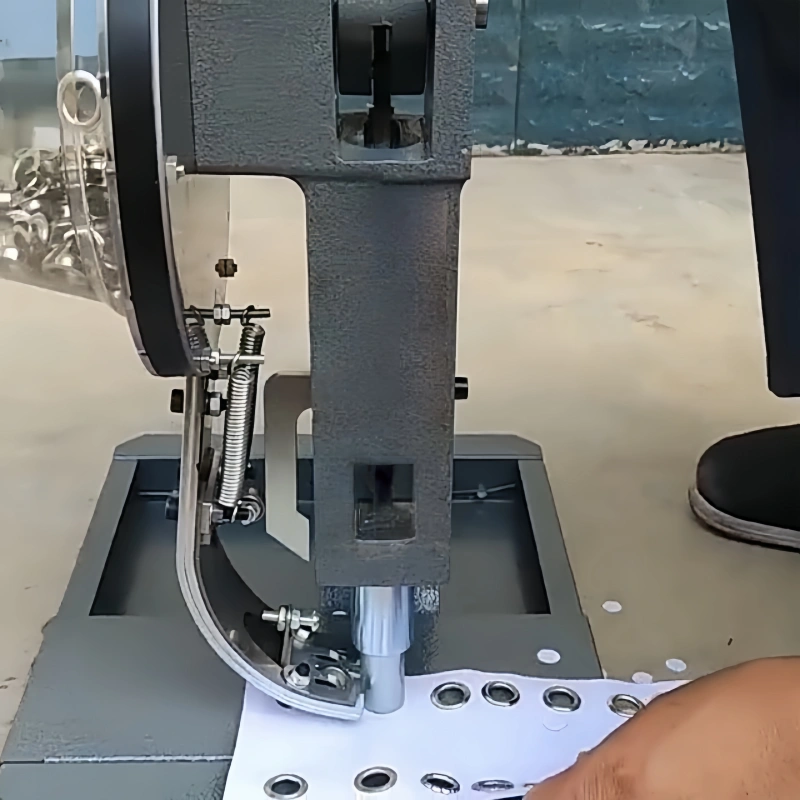
You may encounter common issues like die mismatch, pressure problems, material thickness inconsistencies, poor eyelet quality, or feeder alignment errors during eyelet machine troubleshooting. These problems often seem daunting, but you can quickly diagnose and resolve them with the right approach.
QC Machinery’s expertise and reliable eyelet machines support you at every step. Whether you are new to eyelet machines or have years of experience, these practical tips will help you achieve smooth, professional results.
Key Takeaways
- Check die alignment regularly to prevent die mismatch. Proper alignment ensures eyelets fit perfectly and maintain production quality.
- Adjust pressure settings based on material thickness. This helps secure eyelets without damaging delicate fabrics or heavy materials.
- Inspect eyelet quality before production. Use high-quality eyelets and test on scrap material to catch issues early.
- Maintain your eyelet machine with a consistent schedule. Regular checks and cleaning extend machine life and improve performance.
- Ensure proper feeder alignment to avoid jams and misfeeds. Regular inspection keeps your workflow efficient and reduces downtime.
Eyelet Machine Troubleshooting: Die Mismatch
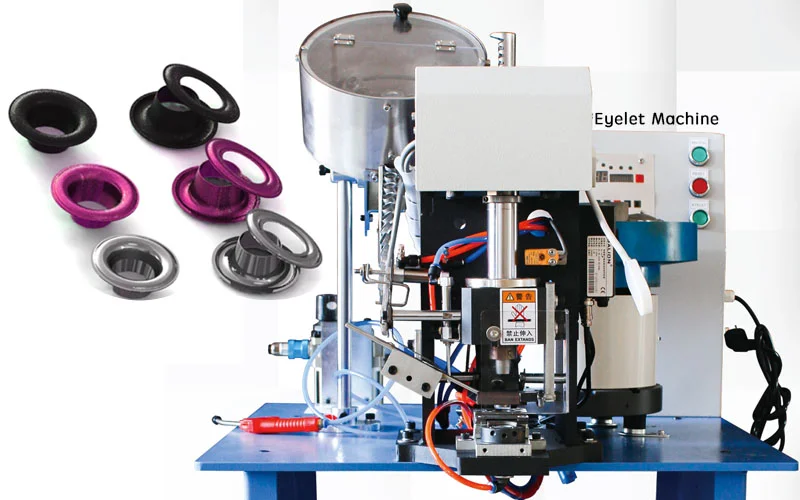
The mismatch is one of the most common issues you may face during eyelet machine troubleshooting. Proper die alignment ensures that every eyelet sits perfectly in your material.
QC Machinery’s eyelet machines feature precise die calibration, which helps you avoid costly mistakes and maintain high production standards.
Diagnose Die Mismatch
You can spot the mismatch by checking for uneven or crushed eyelets or if the eyelet does not sit flush with the material. To diagnose this problem, follow these steps:
- Measure each component. Use calibrated tools to check the eyelet, washer, and material thickness.
- Compare your measurements to the die specifications. Look at the cavity depth and diameter to ensure a proper fit.
- Confirm you are using the correct die for your application. If you notice a mismatch, switch to the recommended die.
- Run a test sample. Use your actual materials and check the results before starting full production.
Tip: Always test with a scrap piece before running a large batch. This simple step can save you time and materials.
Adjust Dies for Alignment
If you find a die mismatch, you need to realign the dies. QC Machinery’s machines make this process straightforward with their alignment mechanisms and replaceable dies. Here’s how you can adjust for perfect alignment:
- Center the top die over the rails when it is at its lowest point.
- Loosen the screws on the raceway and reposition it as needed.
- Align the die pockets so they sit about 1/32 to 1/16 of an inch below the raceway.
- Make sure the arms of the pockets line up with the rails and do not touch the raceway.
- Lower the top die and confirm the spindle passes through the center of the eyelet.
These steps help you achieve industry-standard accuracy and prevent further issues during eyelet machine troubleshooting.
Prevent Die Issues
You can prevent the mismatch by following a few simple maintenance practices:
- Perform regular preventative maintenance on your eyelet hardware.
- Inspect dies for wear and replace them as needed.
- Keep all parts clean and free from debris.
- Wear protective gear when servicing the machine.
By taking these steps, you extend the life of your equipment and reduce downtime. QC Machinery’s machines are designed for easy maintenance, so you can keep your production running smoothly.
Pressure Settings and Material Thickness
Identify Pressure Problems
You need to recognize pressure issues early to prevent damage and ensure quality results. Common signs of pressure problems include:
- Loose eyelets that do not hold the material securely
- Weak fastening that causes eyelets to fall out
- Material cracking or tearing around the eyelet
- Unnecessary tool wear that shortens machine life
If you notice any of these issues during eyelet machine troubleshooting, you should check your pressure settings immediately. Addressing these problems quickly helps you avoid wasted materials and costly downtime.
Adjust for Material Thickness
Matching the pressure to your material thickness is essential for clean and secure eyelet installation. QC Machinery’s eyelet machines feature adjustable pressure settings that let you customize the operation for each project.
This flexibility allows you to work with delicate fabrics like silk or heavy materials like leather without causing damage.
You can use the following table to understand how QC Machinery’s adjustment systems help you handle different materials:
| Feature | Description |
|---|---|
| Easy thickness adjustment | Quickly adjust the cut and grommet closure for each material type and thickness. |
| EASY CUT ADJUSTMENT system | Make simple changes to fit varying material thicknesses. |
| QUICK ADJUST set cap | Switch between different materials with minimal effort. |
| AUTO ADAPTIVE set cap | Move seamlessly from thin to thick materials without manual adjustments. |
These features ensure you achieve consistent results, whether you process velvet, jacquard, or blackout fabrics.
Maintain Consistent Pressure
Routine checks keep your machine running smoothly and maintain consistent pressure. You should follow this maintenance schedule:
- Daily: Inspect the punch, clean the die, run test eyelets, and record your findings.
- Weekly: Clean the die set, check alignment, and drain the air filter.
- Monthly: Inspect seals, test a batch, and check for pressure drift.
- Quarterly: Replace worn parts, tighten cylinder bolts, and test pressure consistency.
By following these steps, you extend the life of your machine and ensure reliable performance. Consistent maintenance supports high-quality production and reduces the risk of unexpected breakdowns.
If you follow these guidelines, you will solve most pressure-related issues in eyelet machine troubleshooting and keep your workflow efficient.
Eyelet Quality and Feeder Alignment
Troubleshoot Eyelet Quality
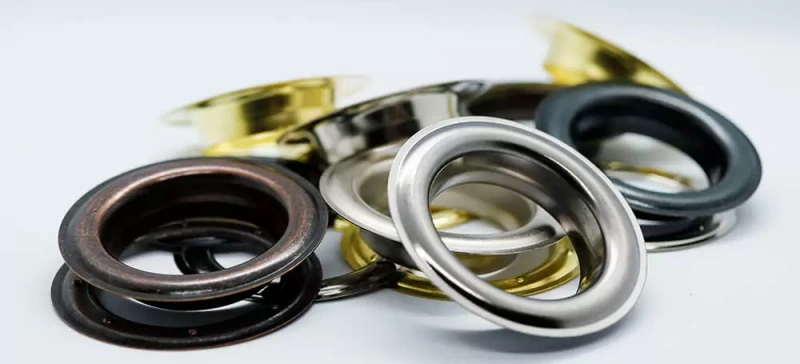
You want every eyelet to look clean and secure. Poor eyelet quality often results from using low-grade eyelets or worn dies. Always choose high-quality eyelets that match your material and machine specifications.
QC Machinery recommends inspecting each batch of eyelets for uniformity and finish before loading them into the machine. If you notice bent, split, or uneven eyelets, replace them immediately. Consistent quality starts with reliable materials and precise machine settings.
Tip: Run a quick test on scrap material before starting a full production run. This step helps you catch quality issues early and avoid waste.
Check Feeder Alignment
Proper feeder alignment ensures each eyelet feeds smoothly into the setting position. Misalignment can cause jams, double feeds, or skipped placements. QC Machinery’s Automatic Eyelet Machine features an automatic feeding system with a large-capacity tray and raceways for efficient delivery.
To check feeder alignment, follow these steps:
- Turn off the machine and disconnect the power.
- Inspect the feeder tray and raceways for debris or misaligned eyelets.
- Adjust the feeder guides so eyelets move freely without obstruction.
- Test the feeder by manually advancing a few eyelets through the system.
- Reconnect power and run a slow test cycle to confirm smooth feeding.
If you notice any sticking or misfeeds, realign the guides and check for worn parts. Regular inspection keeps your workflow efficient and reduces downtime during eyelet machine troubleshooting.
Ensure Smooth Operation
Smooth operation depends on both machine design and your daily practices. QC Machinery builds machines with intuitive control panels and easy maintenance access. You can minimize downtime and keep your machine running safely by following these best practices:
- Follow the manufacturer’s maintenance instructions.
- Use Lockout/Tagout (LOTO) procedures during servicing.
- Inspect interlocking mechanisms and safety sensors regularly.
- Check for compliance with CE and OSHA standards.
| Standard | Region | Focus | What It Means for You |
|---|---|---|---|
| CE | Europe | Safety, health, environment | Machine meets strict EU rules |
| OSHA | United States | Worker safety, machine guard | Machine protects operators |
Easy access to maintenance points allows you to service the machine quickly. Intuitive controls help you make adjustments without confusion. These features, combined with regular checks, ensure your eyelet machine delivers reliable results every day.
You can solve most eyelet machine issues by following these five key fixes. Regular maintenance keeps your machine running smoothly and extends its lifespan. The table below shows how consistent care improves quality and reduces scrap:
| Maintenance Status | Riveting Quality | Scrap Rate | Machine Lifespan |
|---|---|---|---|
| Regular Care Done | Very Consistent | Under 0.5% | 10+ Years |
| No Care Done | Loose or Cracked | Over 5.0% | 2 to 3 Years |
Create a quick troubleshooting checklist for daily use. Address problems promptly to avoid downtime and maintain high standards. QC Machinery offers simplified controls, stable structures, and adjustable settings. Explore their full range and support resources for reliable results.
FAQ
What materials can I use with my QC Machinery eyelet machine?
You can process fabric, leather, plastic, and similar materials. QC Machinery designs machines for versatility, so you can handle a wide range of applications with confidence.
How do I prevent eyelets from deforming during installation?
Set the correct pressure for your material thickness. Inspect dies for wear before each use. Always test on scrap material to ensure clean results.
What should I do if my machine jams?
- Turn off the power.
- Remove debris from the feeder and the die area.
- Check for misaligned eyelets.
- Restart the machine after clearing all obstructions.
How often should I perform maintenance on my eyelet machine?
You should clean and inspect your machine weekly. Lubricate moving parts and check die alignment regularly. Consistent maintenance ensures reliable performance and extends machine life.